
[PR]上記の広告は3ヶ月以上新規記事投稿のないブログに表示されています。新しい記事を書く事で広告が消えます。
It seems like every time you turn around there is a new data breach with experts warning everyone to change their passwords. This means not just changing your password once for every website and online service you use, it usually means changing it on your home computer, your work computer, your smartphone, and your tablet if you own one.
When it comes to online security, one of the best things you can do today is to use a password manager. Not will you never need to memorize dozens of passwords, you don’t even need to know what they are. A good password manager creates passwords for you, fills them in and remembers them across multiple devices.
The Myth of Strong Passwords
A few years ago, a combination of lowercase and uppercase letters and a number or two were all you needed to create a strong password, provided you didn’t use a name or a word found in the dictionary. That just isn’t true anymore. Today’s password cracking programs can hack most eight-digit passwords in a minute or less. If you use something clever – and common – like, paSSword, or trustno1, it can be cracked in milliseconds.
What Makes a Strong Password
The most important aspect of a strong password today is its length, regardless of what characters you use. A password like mulberrystreet, which contains 13 letters is much stronger than even a complex password like 9L*rtPq1. The first would take over 50 years to crack – according to the website How Secure Is My Password? – while the shorter password would take a few hours. A series of 20 random characters would take the same software about a billion years. If you used a password that was 22 characters long, every star in the galaxy would burn out and grow cold before a hacker’s computer could figure it out.software about a billion years. If you used a password that was 22 characters long, every star in the galaxy would burn out and grow cold before a hacker’s computer could figure it out.
Using a Password Manager
A password manager is a small program you install on your computer and other web-accessible devices that stores passwords for every website you use. On your computer, it is usually a browser plugin, while on a tablet or smartphone, it’s a small app.computer and other web-accessible devices that stores passwords for every website you use. On your computer, it is usually a browser plugin, while on a tablet or smartphone, it’s a small app.
You need to remember only one password – the one that opens the password manager. When you go to a website, it fills in the username and password for you automatically. If you want to change your website password or create an account on a new website, it will generate one for you automatically, usually between 20 and 22 characters long. Your login information is kept encrypted and is updated between all of your devices automatically as soon as you connect to the internet. Some are free, while others require a small annual fee, while most offer a free version with payment required for advanced features.devices automatically as soon as you connect to the internet. Some are free, while others require a small annual fee, while most offer a free version with payment required for advanced features.
Using the Cloud Vs. Local Storage
Before choosing a password manager, you should first decide whether or not you are comfortable with your passwords being stored in the cloud, or if you would prefer they be stored only on your devices. When companies refer to the cloud, of course, they mean their own servers. While the majority of password managers do keep this information encrypted, it is a matter of comfort and personal preference. Millennials, for example, are more trusting of cloud-based services, while older generations may prefer having their information stored on their own devices. KeePass, 1Password and SplashID offer local storage, while Dashlane and LastPass use encrypted cloud-based storage.devices. When companies refer to the cloud, of course, they mean their own servers. While the majority of password managers do keep this information encrypted, it is a matter of comfort and personal preference. Millennials, for example, are more trusting of cloud-based services, while older generations may prefer having their information stored on their own devices. KeePass, 1Password and SplashID offer local storage, while Dashlane and LastPass use encrypted cloud-based storage.
1Password
1Password is supported by Windows, Mac, iOS and Android. It stores passwords locally on your device and offers an optional cloud storage service. You also have the option os using DropBox or iCloud. If your devices are connected on your home network, it can synchronize passwords using Wi-Fi. If you want to share passwords in your home or office, it gives you the option to share your password file on your local network too.Mac, iOS and Android. It stores passwords locally on your device and offers an optional cloud storage service. You also have the option os using DropBox or iCloud. If your devices are connected on your home network, it can synchronize passwords using Wi-Fi. If you want to share passwords in your home or office, it gives you the option to share your password file on your local network too.
Dashlane
Another another password manager that gives you an option between storing passwords locally or online is Dashlane. It uses a two-step authentication process to register each of your devices, using your master password and an email confirmation. Its free service lets you use it on a single device, however you will need the premium service to synchronize all of your devices, or share more than five items, as well as get customer support.devices, using your master password and an email confirmation. Its free service lets you use it on a single device, however you will need the premium service to synchronize all of your devices, or share more than five items, as well as get customer support.
KeePass
Keepass is an open source software project, which means it is free to use, but also may require some technical know-how to use all of its features. For example, to syncrhonize your account across mutlipled devices, you need to install a plug-in. However, it also has plugins to do things like change the encryption algorithm it uses or to write your own automation scripts. It has an optional cloud backup option, otherwise it stores your passwords locally, which you can share across multiple devices using DropBox, Google Docs or Microsoft OneDrive. You can share your password file with multiple users, or manage different password files yourself – like one for home and one for the office.software project, which means it is free to use, but also may require some technical know-how to use all of its features. For example, to syncrhonize your account across mutlipled devices, you need to install a plug-in. However, it also has plugins to do things like change the encryption algorithm it uses or to write your own automation scripts. It has an optional cloud backup option, otherwise it stores your passwords locally, which you can share across multiple devices using DropBox, Google Docs or Microsoft OneDrive. You can share your password file with multiple users, or manage different password files yourself – like one for home and one for the office.
LastPass
LastPass is an extremely popular password manager that offers a free and a premium service. All passwords are stored encrypted in the cloud. It too supports Apple, Windows and Android operating systems. The free version includes synchronization between multiple devices, including its app on mobile devices and web browser plugins on Apple and Windows computers.Android operating systems. The free version includes synchronization between multiple devices, including its app on mobile devices and web browser plugins on Apple and Windows computers.
SplashID
SplashID also gives you the option between local and cloud-based storage. It supports Apple, Windows and Android devices as well as BlackBerry. An account for a single device is free, while the ability to share or synchronize across multiple devices requires a modest monthly or annual fee. Like Keepass, you can share your password file with people at work or at home, however this costs an additional fee. One unique feature of SplashID is the ability to decide if you want a specific login to be cloud-based or local storage. For example, you can keep all of your less-important passwords in the cloud, but keep your banking and credit card login information only on your device if desired.Android devices as well as BlackBerry. An account for a single device is free, while the ability to share or synchronize across multiple devices requires a modest monthly or annual fee. Like Keepass, you can share your password file with people at work or at home, however this costs an additional fee. One unique feature of SplashID is the ability to decide if you want a specific login to be cloud-based or local storage. For example, you can keep all of your less-important passwords in the cloud, but keep your banking and credit card login information only on your device if desired.
02K5669 IBM Thinkpad T20 Change Power Supply fast shipping
0335C2065 0335A2065 FUJITSU SIEMENS Change Power Supply fast shipping
120W ADP-120MH-D AC/DC Laptop AC Adapter for MSI GE60 GE70 19.5V 6.15A
1513 24W Microsoft Surface 2 Windows RT 1512 1513 Change Power Supply fast shipping
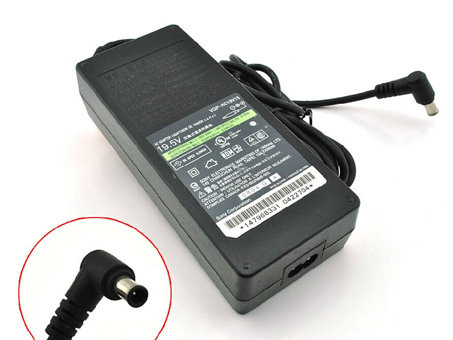
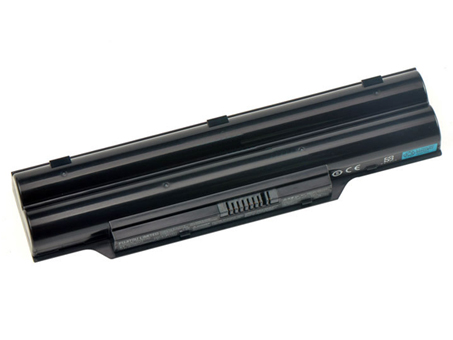
Replacement Battery>> FUJITSU FMVNBP194
Replace the following part numbers:
PCBP277 FMVNBP194 FPCBP250 FMVNBP186
Fits the Following Models:
FUJITSU LIFEBOOK PH521
FUJITSU LIFEBOOK LH520
FUJITSU LIFEBOOK LH530
FUJITSU LIFEBOOK AH530
We promise to explain, in plain English, what works we’ll carry out, we treat every customer with respect.
We promise to offer high quality products at the lowest-possible prices.
JP Store: FUJITSU FMVNBP194 battery
Laptop AKKU: AKKUS Für FUJITSU, FUJITSU FMVNBP194 AKKU FUJITSU LIFEBOOK PH521 LH520 LH530.
FUJITSU FMVNBP194 FMVNBP186 Features:Infocus UP130039 battery for Infocus M510 M511 M512 M518 M521
Lenovo BL203 battery for Lenovo A308T A318T A365E A369 A66
iPhone 616-0721 battery for Apple iPhone 5S iPhone 5C
SONY LIS1502ERPC battery for SONY Xperia Z L36h C6602 C6603 C6606
Motorola BL265 battery for Motorola XT1662
BLU C816105400L battery for BLU Energy X E010Q
Motorola EU40 battery for Motorola Droid Ultra MAXX XT1080M Verizon
SONY LIS1489ERPC battery for Sony Xperia acro S LT26W
Nokia BV-4BWA battery for Nokia Lumia 1320 +Tools
Lenovo BL198 battery for Lenovo S880 S890 S920 A830 A850 A860E A678T K860
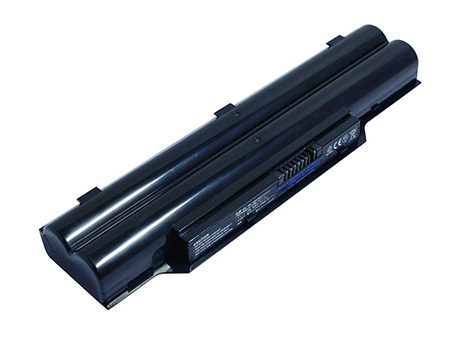
Replacement Battery>> FUJITSU FMVNBP213
Replace the following part numbers:
CP567717-01 FMVNBP213 FPCBP331 FPCBP347AP
Fits the Following Models:
Fujitsu LifeBook A532
Fujitsu LifeBook AH532
Fujitsu LifeBook AH532/GFX
We promise to explain, in plain English, what works we’ll carry out, we treat every customer with respect.
We promise to offer high quality products at the lowest-possible prices.
JP Store: FUJITSU FMVNBP213 battery
Laptop AKKU: AKKUS Für FUJITSU, FUJITSU FMVNBP213 AKKU Fujitsu LifeBook A532 AH532/GFX.
FUJITSU FMVNBP213 FPCBP331 FPCBP347AP Features:Samsung EB-BE700ABE battery for Samsung Galaxy E7 E7000 E700F
Sony LIS1525ERPC battery for Sony Xperia Z1 C6902 C6903 C6906 L39h
ASUS C11P1320 battery for ASUS ZenFone 4 PF400CG A400CG Padfone Mini
Lenovo BL268 battery for Lenovo ZUK Z2
BLU C816105400L battery for BLU Energy X E010Q
OPPO BLP597 battery for OnePlus Two One Plus Phone Backup +Tools
SONY LIS1502ERPC battery for SONY Xperia Z L36h C6602 C6603 C6606
Lenovo BL219 battery for Lenovo Smartphone A850+ A916 A880 A889 S856
Miscrosoft BV-T4D battery for Miscrosoft Lumia 950 XL CityMan Lumia 940 XL RM-1118
iPhone 616-0772 battery for iPhone 6 Plus +Tool
Mobile phones have grown incredibly sophisticated, with a growing number performing many of the functions of a full-size computer, as well as some things a desktop computer can’t do, such as navigating with GPS or starting a car. A 2011 Pew Internet Project survey found that 25 percent of smartphone owners do most of their Internet browsing on their phones.
The dilemma is that the more you depend on your phone, the faster you’re going to drain its battery. While screen, processor and storage technology has advanced significantly, lithium-ion batteries haven’t changed much in 15 years. Incremental improvements in battery efficiency have been far outpaced by processing power and screen size and brightness, as well as 3G and 4G radios, Wi-Fi and Bluetooth antennas, HD cameras, GPS and a variety of other hardware, all of which require power.
To conserve battery life on your phone, turn off what you don’t need, optimize what you do and perform a few tasks manually instead of automating them. You can both increase the time between charges and add to your battery’s usable life.
1
Dim your screen to significantly improve your battery’s life. Your phone’s screen is the largest power draw on the device, and the brighter it is, the more power it draws. Dim it as much as you feel comfortable with. The phone’s automatic brightness setting, which dims the screen in low-light conditions, isn’t as effective as reducing the brightness manually.
2
Set a short screen timeout interval to black out the screen when you’re not using it. If the timeout is very short, you may have to periodically touch the screen to keep it from timing out while you read content. However, if you mostly use the phone for short tasks like checking email or sending SMS messages -- battery-consuming tasks when you do them frequently -- you'll see significant battery savings when you have a shorter timeout interval.
3
Reduce the frequency of application updates and syncs. For example, set your social-media applications to update manually instead of automatically, so they aren’t constantly running in the background, or while you’re not using your phone at all. Apple's iCloud also syncs frequently, and you should turn it off when you don't need it.
4
Eliminate unnecessary widgets and animations. On many phones, the bells and whistles on the home screen may use significant resources, especially if they’re updating news or weather frequently, or using animations where a static image would suffice.
5
Disable Bluetooth, Wi-Fi and GPS when you don’t use them. Each receiver or transmitter on your phone uses juice even when it isn’t connecting, and both Bluetooth and Wi-Fi periodically search for devices in the background, using up even more battery charge. Some smartphones include a widget that allows you to enable or disable these antennas when they’re not needed. When you’re in an area without 3G or 4G service, consider disabling them as well, to spare your phone the battery-hungry effort of searching for service that isn't there.
6
Use the Battery Saver or Power Saver mode if your phone’s operating system has one. These features help you to control the functions that sap your battery’s power, including background apps, widgets, animations and screen brightness. Third-party apps like JuiceDefender or Battery Saver for Android may help you conserve even more power.
7
If your phone uses an Organic Light Emitting Diode screen, use a dark-colored wallpaper as your phone's background. OLED pixels light up individually, so keeping most pixels as dark as possible results in power savings. Unfortunately, this method won't work with LCD screens, which use a backlight that remains at a constant level.
l Phones can vary widely in battery life, and resources such as CNet's battery-life comparison charts can help you select a phone with better power usage.
l You may come across the misguided recommendation to wait until the battery is almost completely discharged before recharging it. This advice is unfounded. Although lithium-ion batteries do have an approximate number of charge "cycles" before they lose charging capacity, a partial charge is simply a partial cycle. For example, if you use 30 percent of your battery's charge and plug the phone in until the battery is fully charged, that usage represents only 30 percent of a charge cycle.
l However, to ensure that your battery is properly calibrated, many manufacturers recommend that you fully discharge and charge the battery about once a month.
High Quality PA-1121-08 Adapter for Toshiba Equium M70
Adapter For HP ENVY TS 23-D028d AiO PC SING HP Power Adapters TPC-BA521
Adapter For Logitech G25 Steering Wheel New Power Adapters Power Adapters DPS2425