[PR]上記の広告は3ヶ月以上新規記事投稿のないブログに表示されています。新しい記事を書く事で広告が消えます。
Years after it first appeared, wireless charging has finally arrived on the iPhone—but what is this magical charging method that’s been on other big phones for a couple of years now? And is it really all that superior to just plugging your phone into the wall every night? Here’s what you need to know about wireless charging, and the kit you need to make it work.
How wireless charging works
The key to wireless (or inductive) charging are electromagnetic fields, used to transfer energy from one place (a charging mat) to another (your phone) through the magic of electromagnetic induction.
Essentially you’ve got two physical coils, one which converts energy into an electromagnetic field that can travel wirelessly, and one which converts that floating field back into energy again—the two coils form a transformer. That’s why the wireless charging cat was out of the bag as soon as a coil was spotted in leaked schematics for the iPhone 8.
If your phone doesn’t support wireless charging out of the box, you can often get a case or adapter that takes care of all of the necessary power transfer processes and feeds the juice straight into the handset—you don’t have to miss out on the wireless charging. Considering wireless charging pads are usually optional extras anyway, you can just add another adapter to your basket.
We’ll get on to standards in a moment, but in addition to the popular magnetic induction method we’ve explained above, you also need to know about the magnetic resonance method—in essence, it’s not all that different, but it increases charging distances, makes it easier for multiple devices to charge up at once on the same charger, and can work through more, and thicker, materials.
For most smartphone owners, that’s as much as you’ll need to know, but pay attention to the quoted voltage of your phone and your charger—the charging speed will be limited by whichever is the slower, and it’ll usually be significantly slower than plugging your phone into a wall. That said, you should also bear in mind that these specs and standards are improving all the time, as the technology gets more efficient, and the prices of the required components come down.
Wireless charging standards
As we said at the outset, wireless charging has been with us for years, in everything from electric toothbrushes to the Nokia Lumia 820 from 2012. Of course, tech wouldn’t be tech without a few differing and incompatible standards to stay abreast of.
The big one, as far as wireless charging goes—the one supported by most phones and the new iPhones—is Qi (pronounced “chee”) charging. Qi is developed by the Wireless Power Consortium, and its 247 members include the likes of Apple, Google, Samsung and just about every other big name in electronics manufacturing. The latest phones from Apple, Samsung and LG all have Qi built in.
The other main contender is AirFuel, formed from a partnership between the Alliance for Wireless Power and the Power Matters Alliance. Like Qi, the standard supports both magnetic induction and magnetic resonance, but its implemented in a slightly different way, so the two technologies aren’t compatible with each other (you can’t charge up a Qi-enabled phone on a AirFuel-enabled mat).
AirFuel (previously known as Powermat) isn’t as widespread as Qi, but some major handsets support it (the Galaxy S8 family can work with both Qi and AirFuel), and it’s the wireless charging technology that Starbucks has installed at its outlets—although the coffee seller is now adding Qi support as well.
As long as you buy accessories using the same standard as your smartphone, you can’t go far wrong, but if you’re wondering why you’ve put your iPhone X down on an AirFuel charging pad at Starbucks and it’s not working, now you know.
What you need for wireless charging
Despite the complex technologies underpinning wireless charging, and the competing standards fighting it out for market share, it’s not that difficult to figure out what you need to set up your own wireless charging solution—check the standard supported by your phone, get an accessory to match, and you’re away.
Plenty of phones now support the Qi standard, including newer models from LG and Samsung, and the new iPhones. Meanwhile, AirFuel wireless charging is available in this year’s LG G6, all the Samsung Galaxy phones of recent years, and some less well-known models. If you’re desperate to use the technology, you can invest in a power ring that slots into the bottom of your phone and enables it to be charged up by any AirFuel charger.
It’s not quite so essential to buy official accessories from the same company that makes your phone when it comes to wireless charging: All Qi-enabled chargers will work with all Qi-enabled handsets, for example, so take your pick. As we mentioned earlier though, double-check the maximum power ratings—you really want your phone and charger to match, otherwise one will be holding the other back.
Apple being Apple, it’s bringing out its own bespoke charging mat called AirPower, which is based on Qi technology. It will charge up any 2017 iPhone, your AirPods (as long as they’re in Apple’s official charging case), and the Apple Watch Series 3 (though not the Series 1 or 2). It’s not clear exactly how AirPower builds on Qi—it has some special features like multiple (Apple) device support, and charging status indicators across all your devices—but you can also charge your iPhone 8, iPhone 8 Plus, and iPhone X on any standard Qi-enabled mat if you prefer.
Samsung, for its part, also offers a “fast charging” wireless pad based around Qi technology—it charges up compatible Samsung phones faster in return for running hotter, something that’s mitigated with an integrated fan. With Samsung’s handsets supporting Qi and AirFuel tech too, you’ve got plenty of choice.
The pros and cons of wireless charging
Just dropping your phone on a mat (or piece of furniture) is obviously more convenient than hunting around for a wire and then fixing it in place, and convenience is the biggest reason to use wireless charging over the cabled alternative.
It has its downsides though: You can’t really use your phone very easily while it’s charging (not yet, anyway), and the charging is slower than it is when your phone is plugged in. Magnetic induction charging is faster than magnetic resonance, but as we’ve mentioned your two devices also need to be closer and more exactly aligned.
That might not sound the most resounding endorsement of wireless charging, but once you actually get to use it, that extra convenience can really pay off—buy two or three pads, and any time your phone isn’t in your hand, it can be charging, at home or the office or in the car. If you need to take a call or check a text, you can pick it right up and set it right back down without yanking out a cable or tripping yourself up.
Now that both Samsung and Apple have embraced wireless charging (over to you, Google), the technology should advance at an even greater rate than we’ve already seen, and that means wireless charging that’s more ubiquitous and that closes the gap in terms of speed and voltage on wired charging.
Take for example the Pi Charger, due to launch next year, which is promising to charge devices as soon as they get close, thanks to specially tuned magnetic fields. As companies figure out ways to make wireless charging even more useful and even more frictionless, it’s finally set to become the new norm for smartphones—after a very long run up.
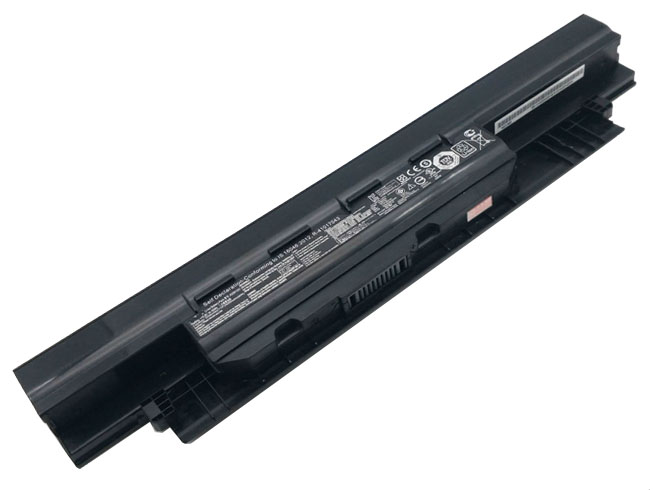
l toshiba PA5185U-1BRS battery for TOSHIBA Satellite L40D-B
l Lenovo L13M4P01 battery for Lenovo Erazer Y40-70AT-IFI
l Motorola BL265 cellphone battery for Motorola XT1662
l Lenovo BL242 cellphone battery for Lenovo A6000 A6000 Plus Lemo K3 K3-W K3-T
l battery Lenovo L14D2P31 for Lenovo Tab 2 X30F X30M A10-70F
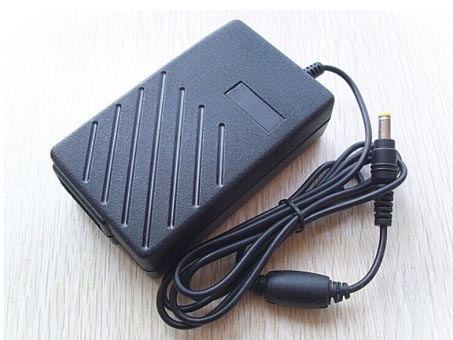
EADP-60FB A
12V 5A 5000mA for Delte 2WIRE AC Adapter Tips
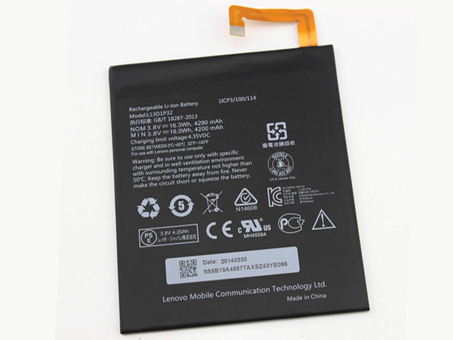
Replacement Battery>> battery for Lenovo Ideapad A8-50 A5500
Replace the following part numbers:
L13D1P32
Fits the Following Models:
Lenovo Ideapad A8-50 A5500
JP Store: Lenovo L13D1P32 battery
Laptop AKKU: AKKUS Für LENOVO, Lenovo L13D1P32 AKKU Lenovo Ideapad A8-50 A5500.
LENOVO L13D1P32The Lenovo L13D1P32 battery packs isn't charging. What's the deal?
New Lenovo L13D1P32 battery packs is shipped in a discharged condition and must charged before use. We generally recommend an overnight charge (approximately twelve hours). Refer to the user's manual for charging instructions. Rechargeable Lenovo laptop batteries should be cycled - fully charged and then fully discharged - two to four times initially to allow them to reach their full capacity. (Note: it is normal for a Lenovo L13D1P32 battery packs to become warm to the touch during charging and discharging). New Lenovo laptop batteries are hard for the device to charge; they have never been fully charged and are therefore "unformed". Sometimes the device's charger will stop charging a new Lenovo Ideapad A8-50 A5500 battery packs before it is fully charged. If this happens, remove the battery from the device and then reinsert it. The charge cycle should begin again. This may happen several times during the first battery charge. Don't worry; it's perfectly normal.uk-online.co.uk warranty policy
battery Amazon 26S1004-A for AMAZON KINDLE 58-000065
battery ASUS B11P1405 for Asus MeMO Pad 7 ME70CX
battery Apple A1337 for Apple iPad 16GB 32GB 64GB (Wi-Fi) (Wi-Fi + 3G)
battery Samsung EB-BT705FBC for Samsung GALAXY Tab S 8.4 T700 T705C
battery SAMSUNG EB-BT705FBC for SAMSUNG GALAXY TAB S 8.4 T700 T701 T705 T705C + Tools
battery Asus C11P1310 for Internal Battery for Asus Fone Pad 7 Me372CG
battery Hp AJ02XL for HP Jacket Elitepad 900
battery Lenovo L14M2P21 for Lenovo S41-70 S41-70AM
battery Lenovo L10M2121 for Lenovo IdeaPad K1 Tablet PC
battery ASUS C11N1312 for ASUS Notebook T Series Pad Transformer Book TX201LA
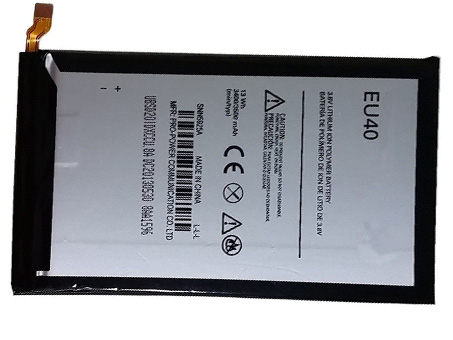
Replacement Battery>> battery for Motorola Droid Ultra MAXX XT1080M Verizon
Replace the following part numbers:
EU40
Fits the Following Models:
Motorola Droid Ultra MAXX XT1080M Verizon(No fit XT1080 Droid Ultra,just for XT1080M Droid Ultra MAXX)
JP Store: Motorola EU40 battery
Laptop AKKU: AKKUS Für MOTOROLA, Motorola EU40 AKKU Motorola Droid Ultra MAXX XT1080M Verizon.
MOTOROLA EU40 To power your cell phone Motorola Droid Ultra MAXX XT1080M Verizon you will need some rechargeable lithium batteries. It will ensure optimum performance from your handset. Lithium-ion batteries are durable, reliable and light-weight. The useful life of cell phone batteries depends mainly on the inside quality. Good rechargeable batteries has strong cycle and duration performance, sufficient capacity and long life. The choice of a suitable Motorola cell phone batteries is not always easy. There is a wide and varied selection of uk-online.co.uk. Our goods are of prime quality and lowest price. Life of extended life cell phone batteries is limited, while our service is limitless!Description
Motorola EU40 cellphone battery for Motorola Droid Ultra MAXX XT1080M Verizon
Motorola FL40 cellphone battery for MOTOROLA DROID MAXX 2 XT1565
Nokia BL-4YW cellphone battery for Nokia Lumia 925 BL-4YW 2000mAh + Tools
NOKIA BV-4BW cellphone battery for NOKIA BV4BW Lumia 1520 /1320
ASUS C11P1404 cellphone battery for ASUS Zenfone 4 A400CG
LG BL-T16 cellphone battery for LG G Flex 2 H950 H955 H959 LS996 US995
HTC 35H00207-01M cellphone battery for HTC One M7 Internal Battery 2300mAh
Samsung EB-BN910BBE cellphone battery for Samsung Galaxy Note 4
APPLE A1389 cellphone battery for iPad3 ipad4 iPad 3 3rd ipad 4 11560mAh
Motorola EQ40 cellphone battery for MOTOROLA Droid Turbo XT1254 Verizon with Tools